Documentation

OpenProject Connector
For a general introduction to the connector, please refer to https://www.rheininsights.com/en/connectors/jira.php.
OpenProject Configuration
Crawl User
The connector needs a crawl user which has the following permissions:
Read access to all projects and issues, which should be indexed
Permission to access all project permissions
Read access to all users and groups
This means that the crawl user could be project administrator for the projects in crawl scope. The connector uses an API token for accessing the APIs. Please generate an API token for the Admin account as follows:
Log in with the crawl user to OpenProject
Click on the username on the top right and on account settings
Click on Client Tokens
Click on “+ API token”
Give it a name
And make a copy of the generated token. It will be needed below.
Content Source Configuration
The content source configuration of the connector comprises the following mandatory configuration fields.
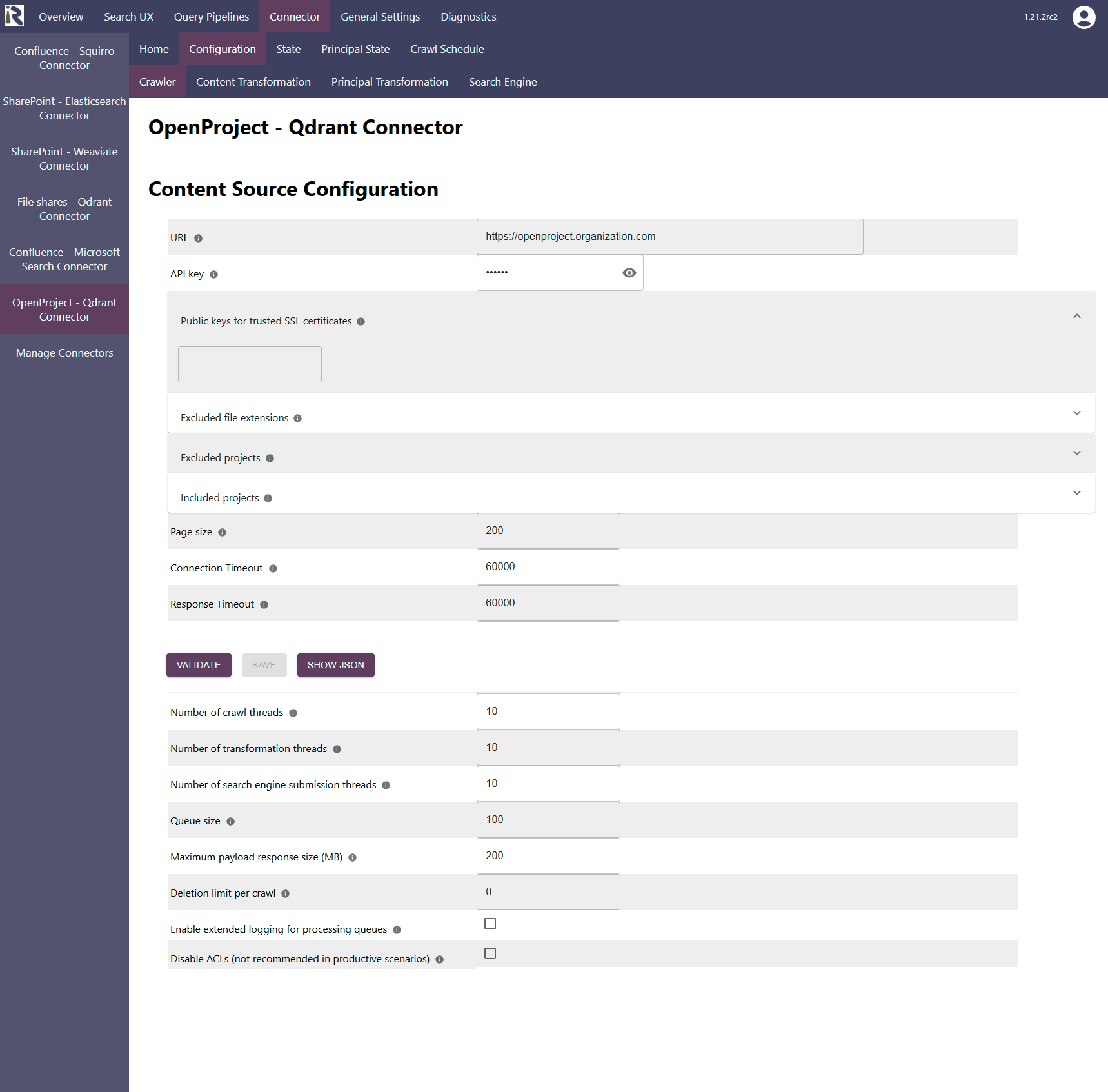
URL is the hostname, including protocol and port (if applicable)
API Key is the access token which was generated in the steps above.
Public keys for SSL certificates: this configuration is needed, if you run the environment with self-signed certificates, or certificates which are not known to the Java key store.
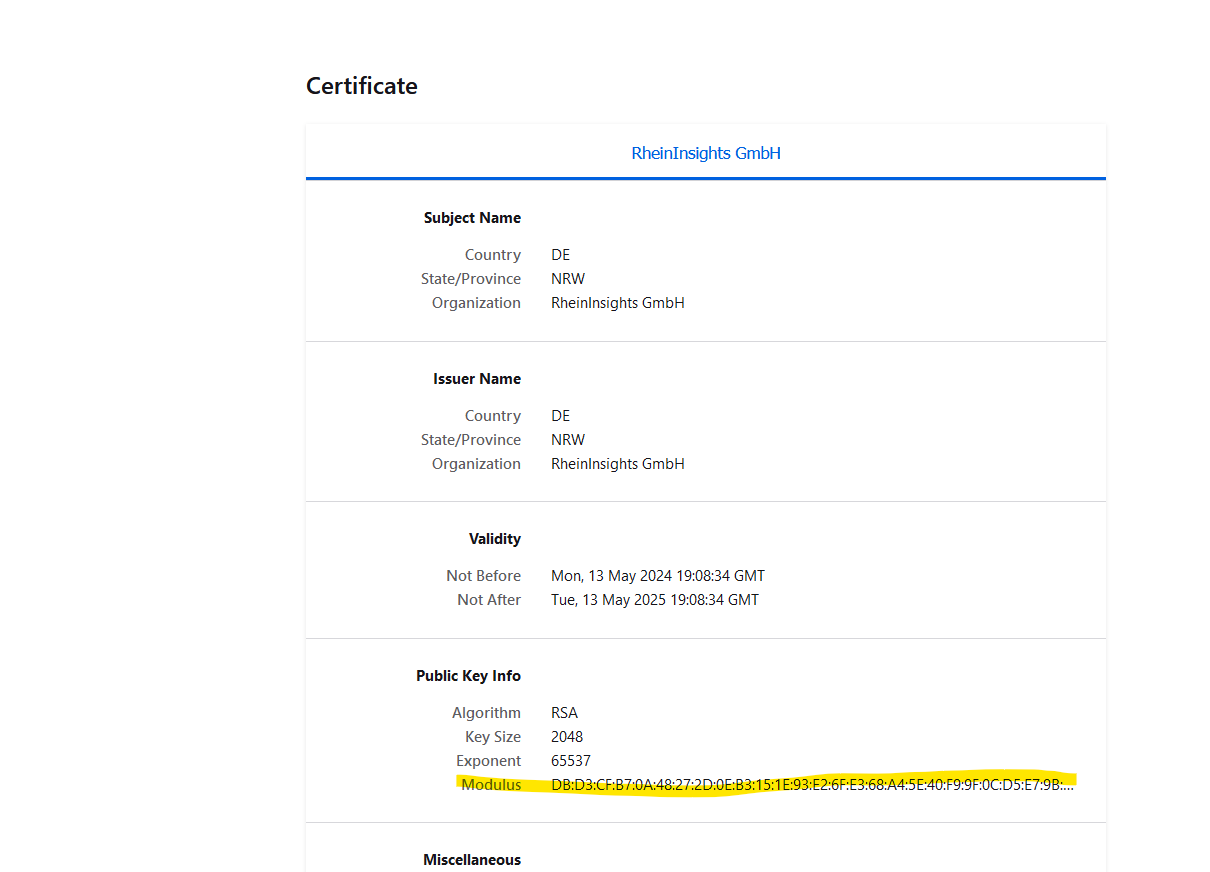
We use a straight-forward approach to validate SSL certificates. In order to render a certificate valid, add the modulus of the public key into this text field. You can access this modulus by viewing the certificate within the browser.
Excluded files from crawling: here you can add file extensions to filter attachments which should not be sent to the search engine.
Excluded projects: here you can add project names or keys to exclude these from crawling
Please note that a change to this list will yield an incremental crawl to remove all issues and attachments from excluded spaces.Included projects: this is an include list. If empty, all project but the excluded spaces are indexed. But if you add at least one entry (even an empty one), only this project will be included for crawling. Please note that a change to this list will yield an incremental crawl to remove all issues and attachments from excluded spaces.
The general settings are described at General Crawl Settings and you can leave these with its default values.
After entering the configuration parameters, click on validate. This validates the content crawl configuration directly against the content source. If there are issues when connecting, the validator will indicate these on the page. Otherwise, you can save the configuration and continue with Content Transformation configuration.
Limitations for Incremental Crawls and Recommended Crawl Schedules
OpenProject does not offer a complete change log. This means that incremental crawls can detect new and changed projects, issues and attachments. However, removed projects, issues or attachments will not be detected in incremental crawls, as well as significant changes to the project permission schemes.
Therefore, we recommend to configure incremental crawls to run every 15-30 minutes, full scan principal crawls to run twice a day, as well as a weekly full scan of the documents of the OpenProject instance. For more information see Crawl Scheduling .
Furthermore, it is a design decision that an issue is indexed with the body content being the summary and all comments.