Documentation

OpenText Content Server Connector
For a general introduction to the connector, please refer to RheinInsights OpenText Content Server Enterprise Search and RAG Connector.
Crawl User Permissions
You need to create a crawl user which has the following permissions:
It needs to have read permissions to the nodes, their metadata, the node ACLs below a given start node
The crawl user needs to have read access to all users, groups and group memberships
If you use supplemental markings and security clearances (from the records management module), then the crawl user needs to have (read) access to
the supplemental markings and security clearances per node
the supplemental markings and security clearances for each user (member)
Content Source Configuration
The content source configuration of the connector comprises the following mandatory configuration fields.
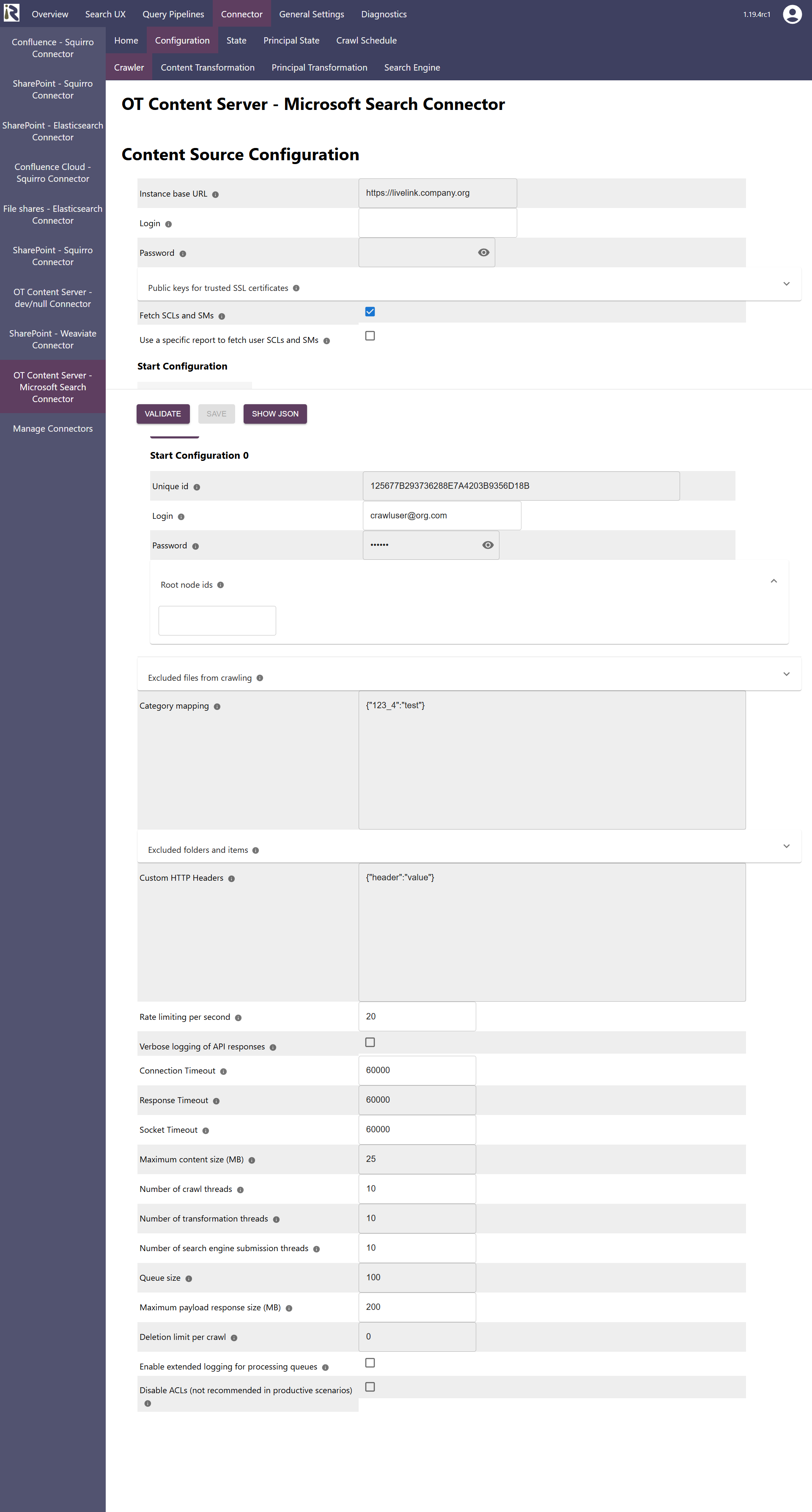
Within the connector’s configuration please add the following information:
Instance base URL. The base url to up to before the API endpoint of your OTCS instance
Login. The user name for fetching user-group relationships
Password. The password for this
Public keys for SSL certificates: this configuration is needed, if you run the environment with self-signed certificates, or certificates which are not known to the Java key store.
We use a straight-forward approach to validate SSL certificates. In order to render a certificate valid, add the modulus of the public key into this text field. You can access this modulus by viewing the certificate within the browser.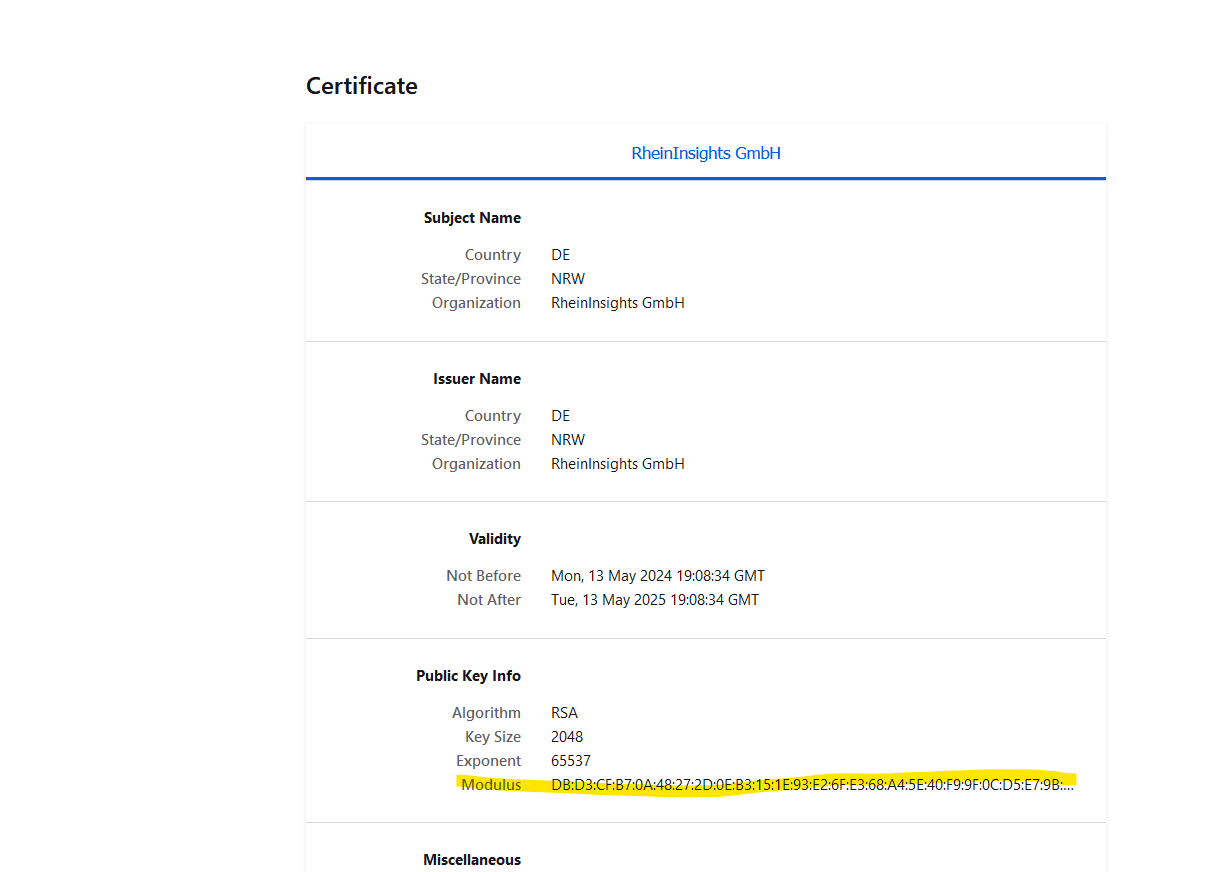
Fetch SCLs and SMs. Determines if for each document and the users security clearances and supplemental markings should be fetched
Use a specific report to fetch user SCLs and SMs. If enabled, you can define a specific report which needs to expose the supplemental markings (as list of strings) and security clearance level as integer per user
Report id for SCLs and SMs. Provide the id of this report.
Start configuration. This is a list of start configurations, which allows for using different crawl users for different branches of your OTCS instance.
Unique id. Is a unique identifier which is needed for internal reasons. Leave the autofilled value.
Login. This is the crawl user for this branch.
Password. This is the user’s password for this branch.
Root node ids. This is a list of node ids which is used to start crawling the subtrees from.
Excluded files from crawling: here you can add file extensions to filter attachments which should not be sent to the search engine.
Rate limit: You can specify the number of API calls per second.
Category mapping: here you can specify metadata field names for categories which are in use in your OTCS instance
Custom HTTP headers. Here you add additional http header information which the connector sends with each REST call
Verbose logging of API responses. Logs all REST API responses from OTCS
After entering the configuration parameters, click on validate. This validates the content crawl configuration directly against the content source. If there are issues when connecting, the validator will indicate these on the page. Otherwise, you can save the configuration and continue with Content Transformation configuration.
Recommended Crawl Schedules
Content Crawls
As of now the connector does not support incremental crawls. Therefore, full scans should run on a daily basis.
For more information see Crawl Scheduling .
Principal Crawls
Depending on your requirements, we recommend to run a Full Principal Scan every day or more often.
For more information see Crawl Scheduling .