Documentation

XWiki Connector
For a general introduction to the connector, please refer to RheinInsights XWiki Enterprise Search and RAG Connector.
XWiki Configuration
Crawl User
The connector needs a crawl user which has the following permissions:
Read access to all wikis, spaces, pages and documents, which should be indexed
Permission to the wiki, space and page restrictions
Read access to all users and all groups
Read access to all group memberships
Password Policy
The crawl user must have no password rotation, or the password needs to be reset when it changes.
Content Source Configuration
The content source configuration of the connector comprises the following mandatory configuration fields.
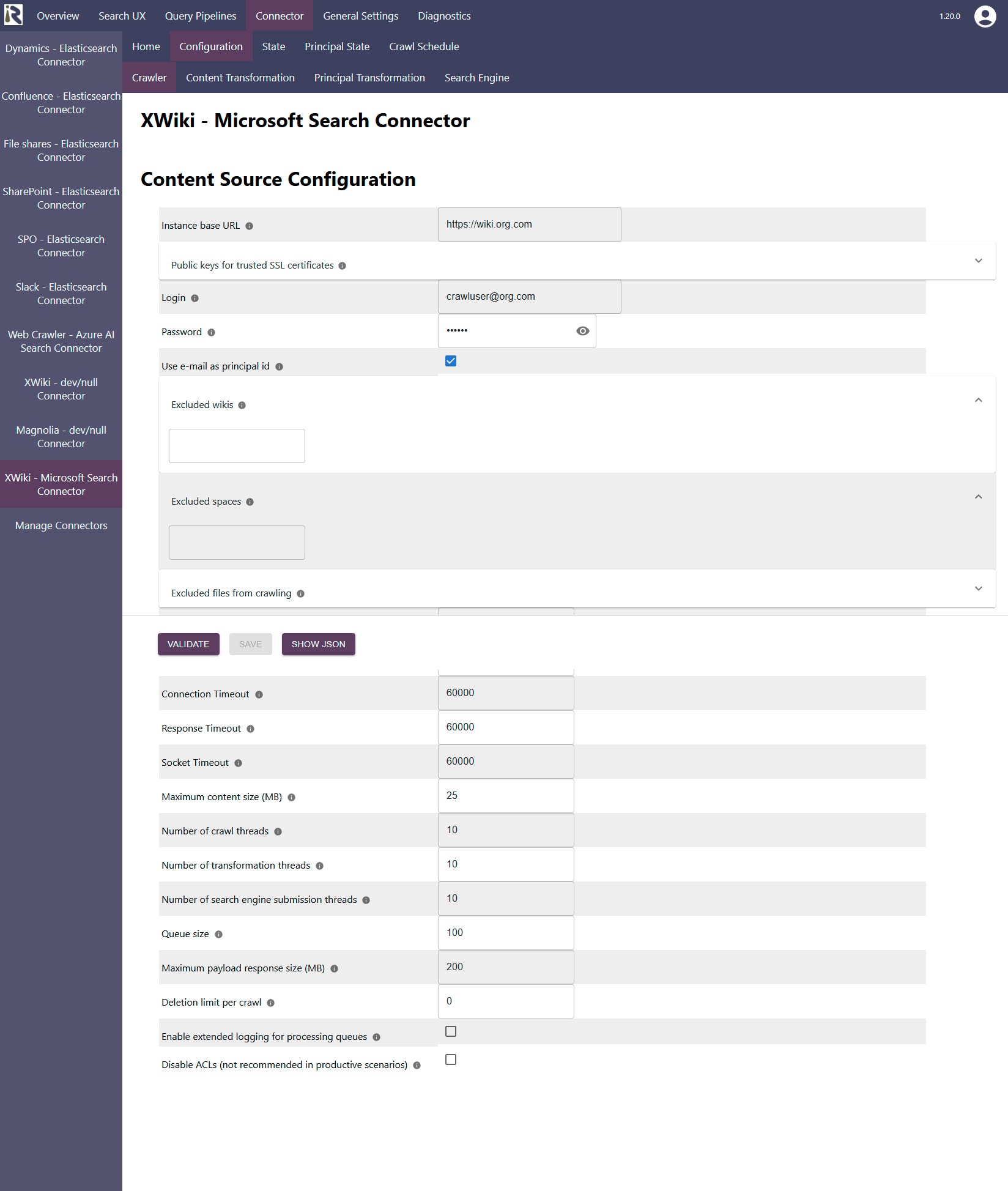
Instance base URL. This is the fully qualified domain name or host name of the XWiki instance, including port, without trailing slash.
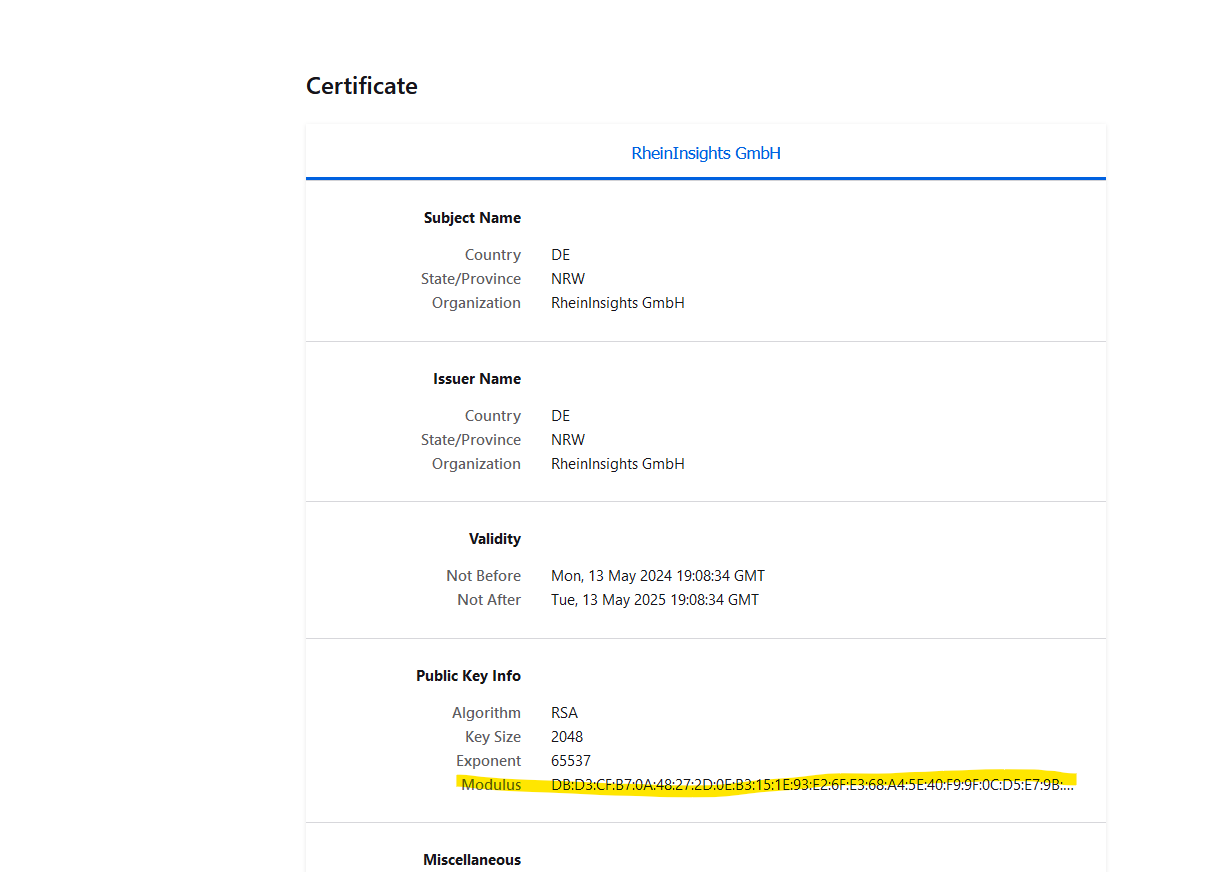
Public keys for SSL certificates: this configuration is needed, if you run the environment with self-signed certificates, or certificates which are not known to the Java key store.
We use a straight-forward approach to validate SSL certificates. In order to render a certificate valid, add the modulus of the public key into this text field. You can access this modulus by viewing the certificate within the browser.
Login: is the user name which is used by the connector to crawl the instance. Please see the section above for the necessary user permissions.
Password: is the corresponding password for the crawl user
Use e-mail as principal id: This will configure the connector to set the given user mail as the user id in the principal crawls. For instance a mail jane@organization.com will thus be used by the search engine to filter for Jane’s groups.
Excluded wikis. This is a list of wiki ids which should be excluded from crawling
Excluded spaces. This is a list of space ids which should be excluded from crawling
Excluded folders. This is a list of regular expressions which will be applied to the relative item path’s. If a path matches, then the connector will stop crawling down into this branch. In turn, you can exclude technical items from the indexing scope.
Excluded files from crawling: here you can add file extensions to filter attachments which should not be sent to the search engine.
Rate Limiting. This will define a rate limiting for the connector, i.e., limit the number of API requests per second (across all threads).
Page size for requests. Defines how many pages will be fetched per API request. Default is 100.
Response timeout (ms). Defines how long the connector until an API call is aborted and the operation be marked as failed.
Connection timeout (ms). Defines how long the connector waits for a connection for an API call.
Socket timeout (ms). Defines how long the connector waits for receiving all data from an API call.
The general settings are described at General Crawl Settings and you can leave these with its default values.
After entering the configuration parameters, click on validate. This validates the content crawl configuration directly against the content source. If there are issues when connecting, the validator will indicate these on the page. Otherwise, you can save the configuration and continue with Content Transformation configuration.
Recommended Crawl Schedules
Alfresco does not offer a change log but is relatively fast in delivering metadata. This means that incremental crawls are not supported right now.
Therefore, we recommend to configure full scans to run every 4 to 12 hours, full scan principal crawls to run twice a day. For more information see Crawl Scheduling .