Integrating your Enterprise Knowledge in Open WebUI
December 9, 2025
Open WebUI is a self or cloud hosted interface for interacting with AI and LLMs. It is easy to run and provides a sound foundation for your enterprise wide AI project. However, the question is, how do you get really relevant answers based on your enterprise knowledge?
Wrong Answers, Lack of Knowledge or Lack of Permissions?
Open WebUI brings its own vector database which can be used to store internal knowledge. If you however, are facing the issues that
answers generated are not relevant and answers contain a lot of hallucination
your knowledge sources come with permission models and therefore answers must only be generated based on knowledge which is accessible to the user
you need more knowledge sources in Open WebUI, for instance SharePoint Online, Teams, Zendesk, Zammad, SAP SuccessFactors, Drupal, Web sites, Slack and more
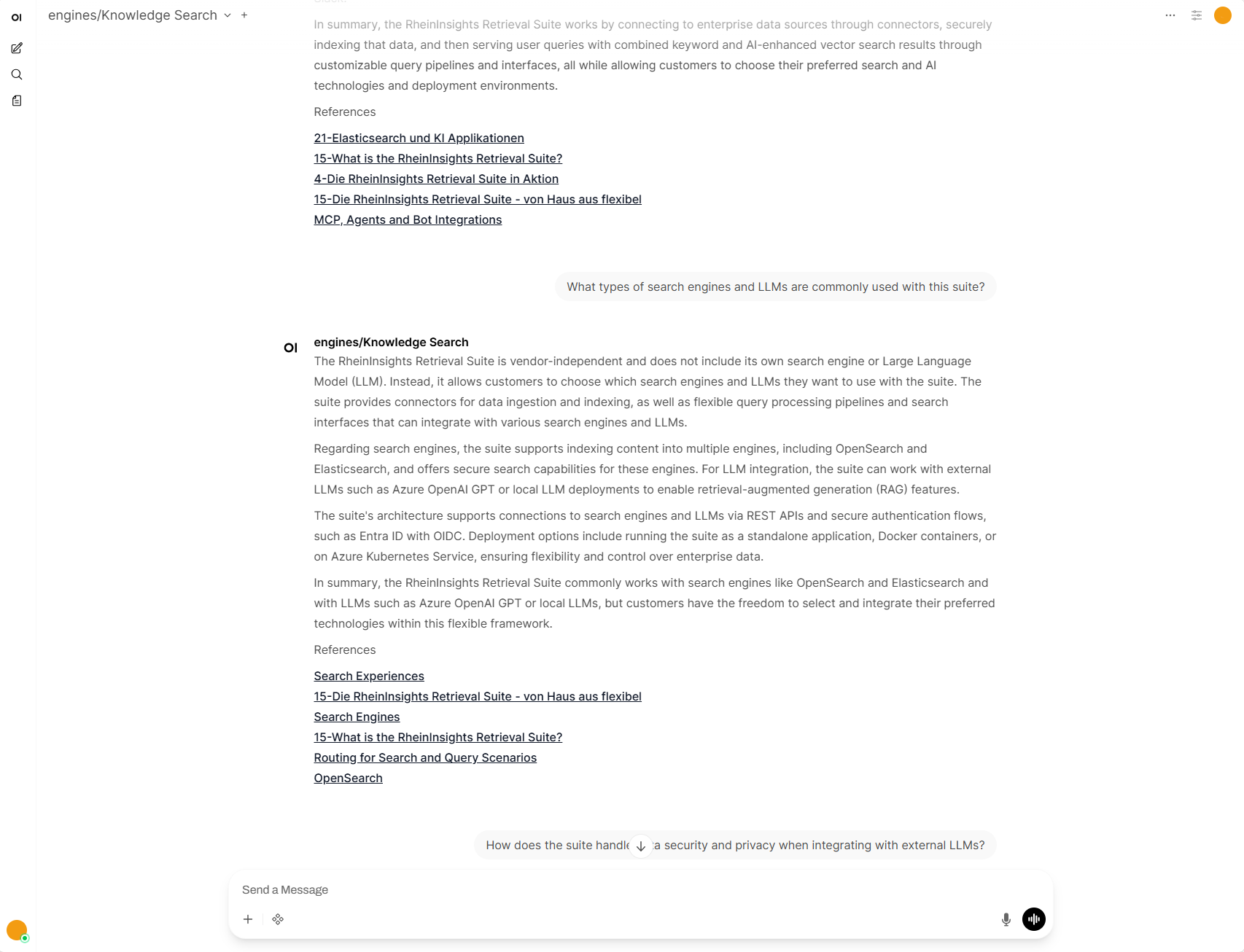
then we propose a slightly different approach where the extensibility of Open WebUI comes in handy. You can implement a function (e.g. a so-called pipe) and register it as a new model. Such a new model can then be used by the user to interact and chat with it. It can in turn interact with a standalone search engine or with the APIs of our RheinInsights Retrieval Suite.
This solves the points above as follows.
Search Relevance
In general, we always propose to use a search engine or vector database with hybrid search. A pure vector search does not generate the most relevant results.
Also, you must have in mind that you need to preprocess queries accordingly to make sure that hybrid search works well.
Please note that Open WebUI offers a toggle for enabling hybrid search which is turned off by default. If you are only facing relevance issues then this might be the first step in significantly improving the quality of the AI responses.
Secure Search and Security Trimming
On the other hand, you might want to make sure that your vector search implements security trimming. This is done as described in our blog post (see Permission-Based Retrieval Augmented Generation (RAG)) .
In order to use this approach, first your connectors need to “index” the permission model of the content sources. And you need to implement a filtering as part of the queries which are issued to the search engine or vector database.
As a result, only results will be returned which are relevant and where the user has access to in the underlying content source.
If you use our Retrieval Suite as a middleware, then our query pipelines provide secure search out of the box.
Integrating More Knowledge Sources
For having more knowledge sources in Open WebUI you can double check and download the existing open source connectors.
If these do not work well or do not satisfy your needs, then our Retrieval Suite offers a growing list of currently more than 40 out of the box connectors for more than ten search engines and vector databases.
How does the Function Look Like?
The function (pipe) in Open WebUI receives the user context, the latest part of the chat history (which we call chat context), and, as part of that, the current prompt as input parameters.
It extracts the current user (as UPN) from the input parameters, as well as the chat context and the current prompt.
The function then generates the embedding (i.e., the vector) of the user prompt for the vector search. Here it uses an LLM again. Please note that it is crucial that the embedding model is the same model used when the data was indexed.
The keyword query is then optimized for hybrid search. Here note that long prompts yield that no hits are returned as part of the keyword search and the search defaults to pure vector search again.
Last but not least, the filter for security trimming is calculated.
Using this information, the search engine is queried.
The results are then used with the completion API of your LLM to formulate a natural language response to the user input.
Open Source Architecture
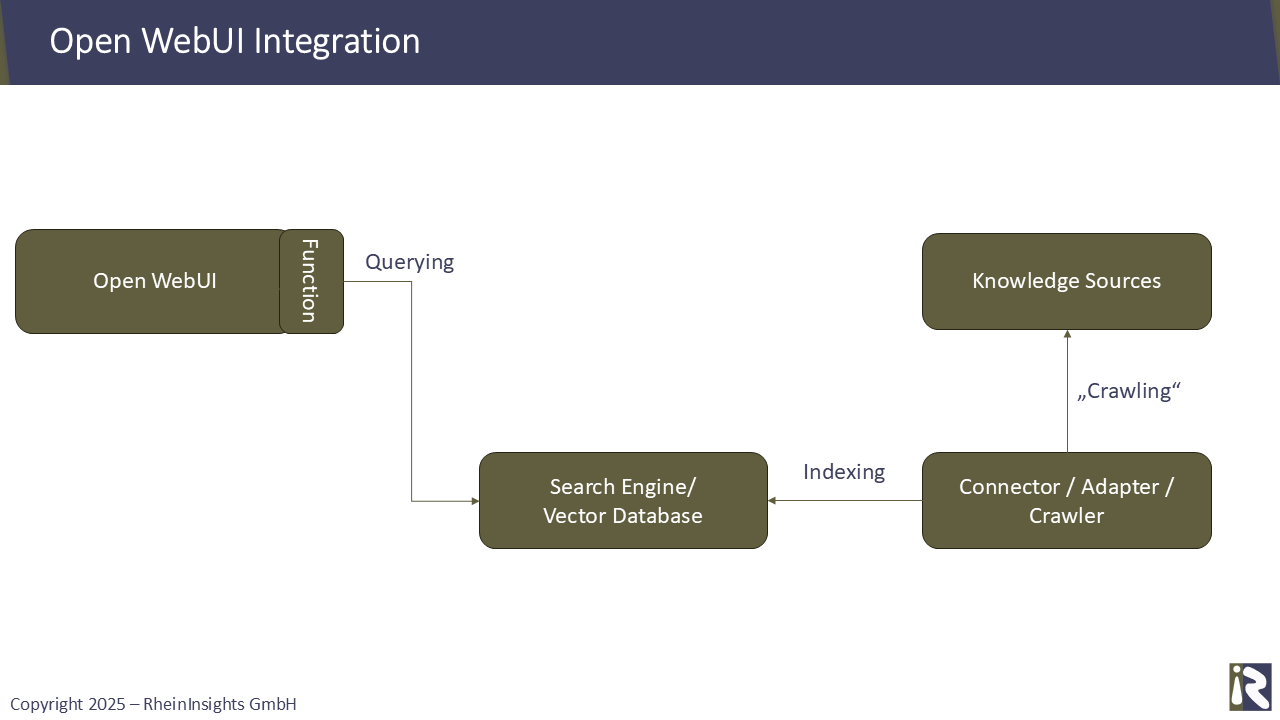
If you rely solely on open source, the system architecture is as follows. It consists of
Open WebUI,
potentially a separate search engine or vector database,
and the connectors that index knowledge.
The function, as part of Open WebUI, calls the search engine to retrieve the relevant results from the indexed corpus.
Using the RheinInsights Retrieval Suite
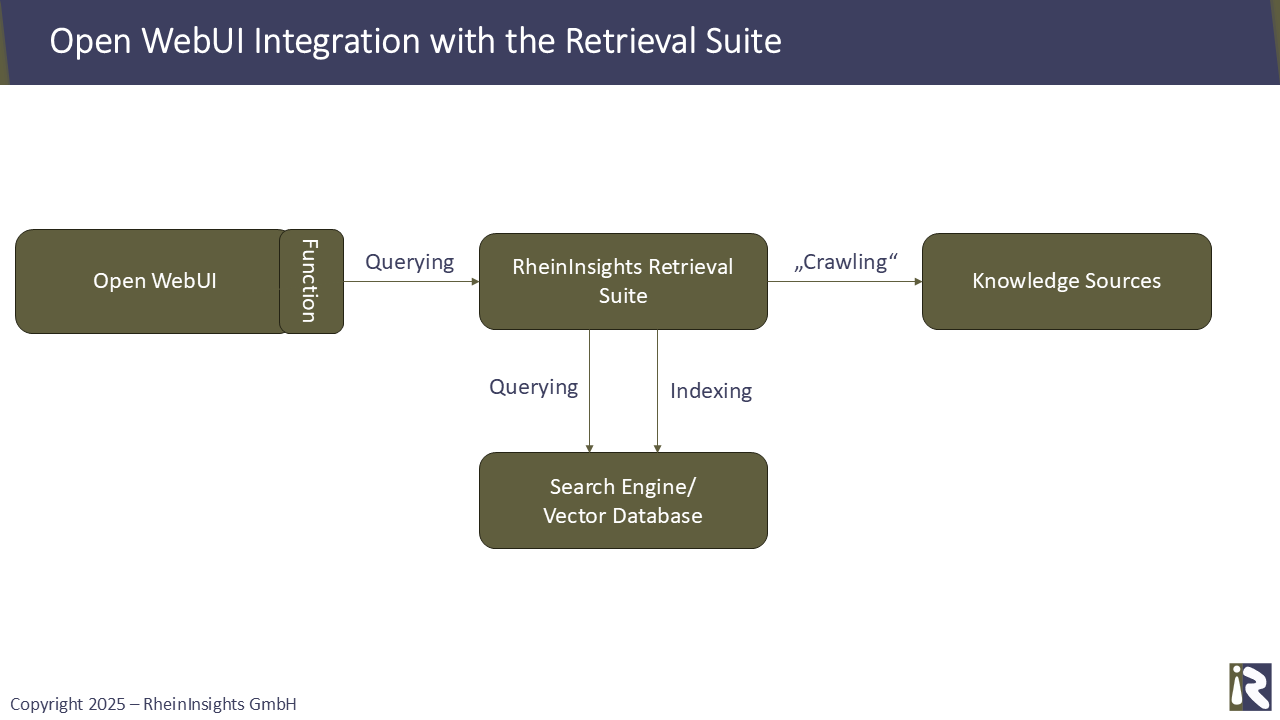
To reduce effort to success and speed up your project significantly, we propose using the RheinInsights Retrieval Suite as middleware in our second architecture below.
This provides you with our configurable AI pipelines and with our enterprise search connectors. The suite delivers highly relevant search results and generates appropriate responses to every user input. It in particular provides everything you need for secure search.
In this architecture, our Retrieval Suite acts as middleware, providing the connectors and processing queries by the RheinInsights AI and query pipelines.