RheinInsights Logo
  • Home
  • Insights
  • Retrieval Suite
    • RheinInsights Retrieval Suite
    • Your Enterprise AI
    • Feature Comparison

    • Getting Started in Minutes
    • Enterprise Connectors
    • AI Pipelines
    • Integrations and UX
  • Services
    • Workshop & Pilot: Secure Enterprise AI

    • AI Readiness & Strategy
    • Retrieval & Enterprise Search
    • Agents on Enterprise Knowledge
    • Microsoft 365 Copilot & Azure AI Search
    • AI Governance & Security
    • Data Exposure Assessment
  • Documentation
  • About us
    • About us
    • Contact
Try for free

Documentation

  • Getting Started
  • Deployment and First Run Configuration icon
    • Technical Prerequisites icon
      • Virtual Machine / Docker Container
      • Database icon
      • Authentication Provider icon
        • Basic Authentication
        • Entra Id Authentication
        • Passphrase Authentication (Deprecated)
    • Installation and Deployment icon
    • First Run Configuration
    • Load Balancer and Failover Setup
    • Software Updates and Upgrades icon
  • Data Privacy and Routing icon
  • Administration icon
  • Enterprise Search Connectors icon
  • AI and Query Pipelines icon
  • Search Engines icon
  • UI, MCP, Agents and Bot Integrations icon
  • Backup and Restore Concept
  • Software Updates and Upgrade
  • Releases and Release Notes icon
  • Developer Resources icon

Passphrase Authentication (Deprecated)

The Admin UI can be secured by a passphrase. This is one token which is used to login for all Suite admins.

In order to configure this authentication, choose

  1. Authentication provider for administration interface: Passphrase

  2. And add a passphrase into Admin passphrase
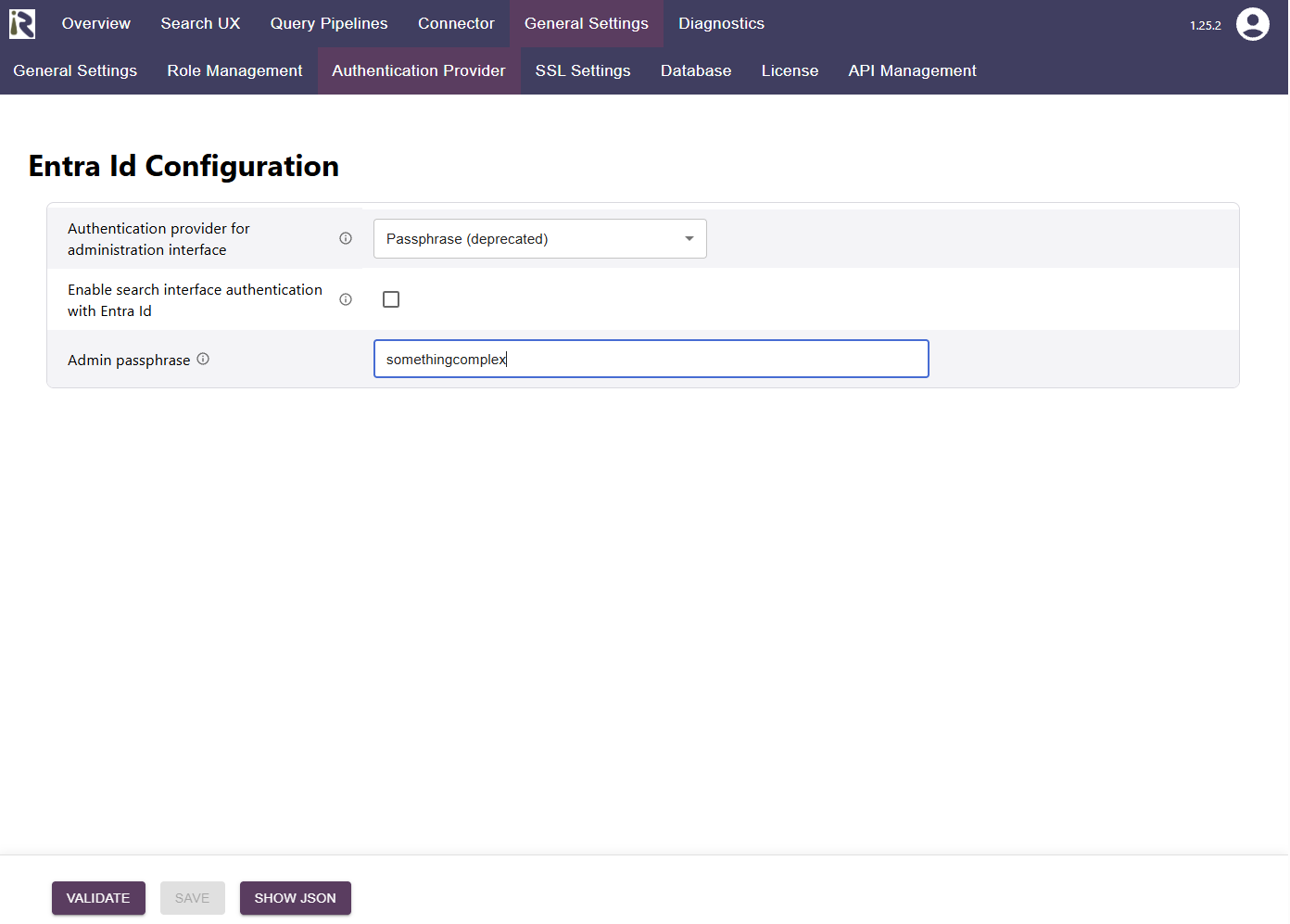
Configuration dialog for the authentication provider

Back to top

© 2026 RheinInsights GmbH · Data privacy · Imprint · Copyrights and Open Source Licenses · GitHub · Documentation · Contact · LinkedIn