Documentation

Synonym Management
In the admin dialog at Query Pipelines > Synonyms you find the synonym management.
This dialog is used to manage synonyms / acronym expansions. The values maintained here are added in the Synonym from Dictionary Step as part of the query pipelines, you define.
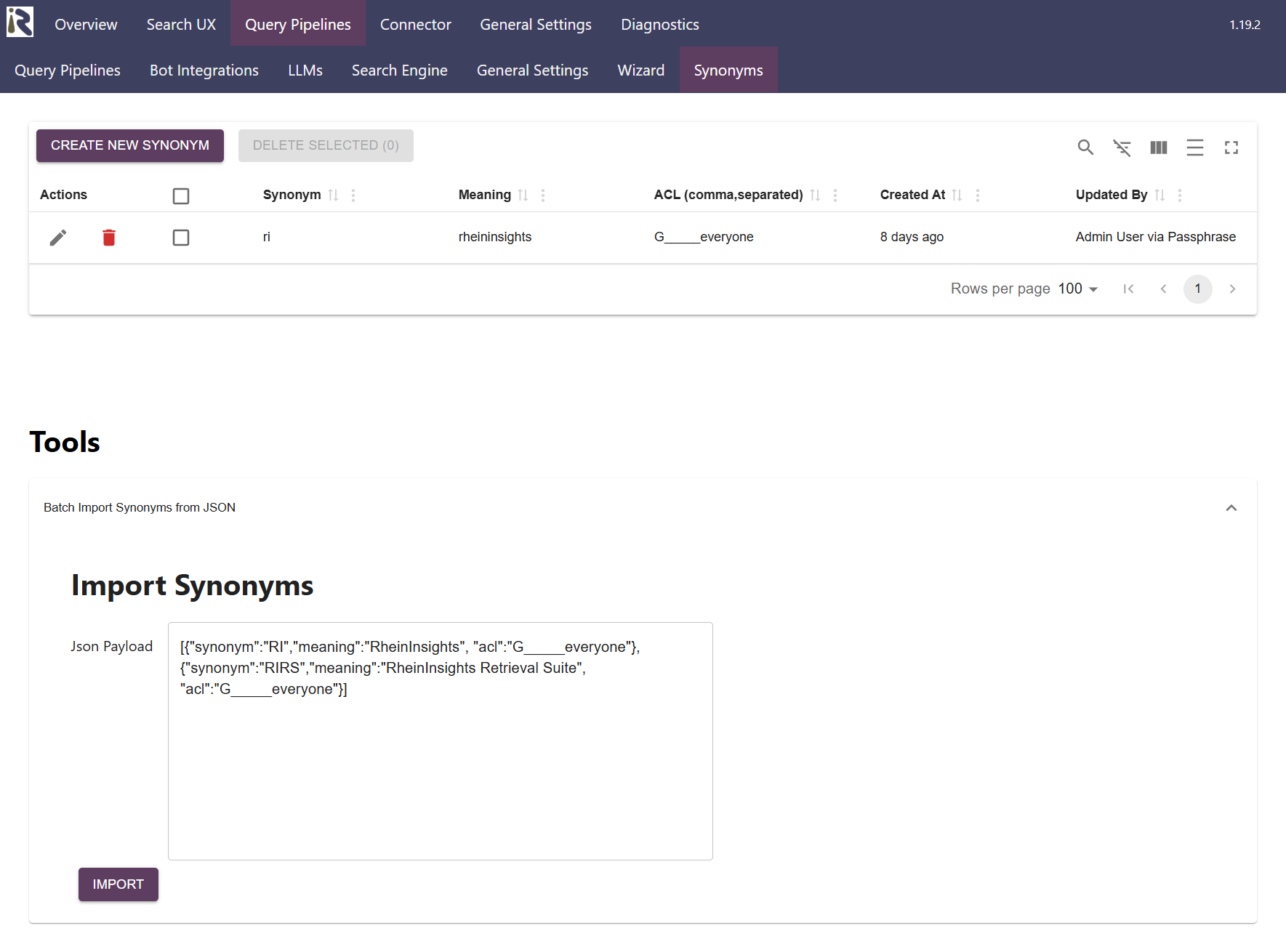
Synonym. Defines the term which may be part of a prompt or query which has to be expanded
Meaning. Is the expansion value when the term matches
ACL, comma separated. Determines the ACL tokens which need to match for the user in order to have this synonym expansion to take place.
Created at. Determines when the synonym was created.
Updated by. Defines who has updated the synonym.
Import Synonyms
Here you can insert a JSON. The JSON will be parsed on server side and the synonyms are imported to the store. Please note that defect JSONs yield the import process to fail. An explicit error message is not shown. Synonyms without a meaning field are not imported.