Documentation

Qdrant - Indexing Configuration
You can access this dialog as part of the connector configuration, if the connector has Qdrant as target.
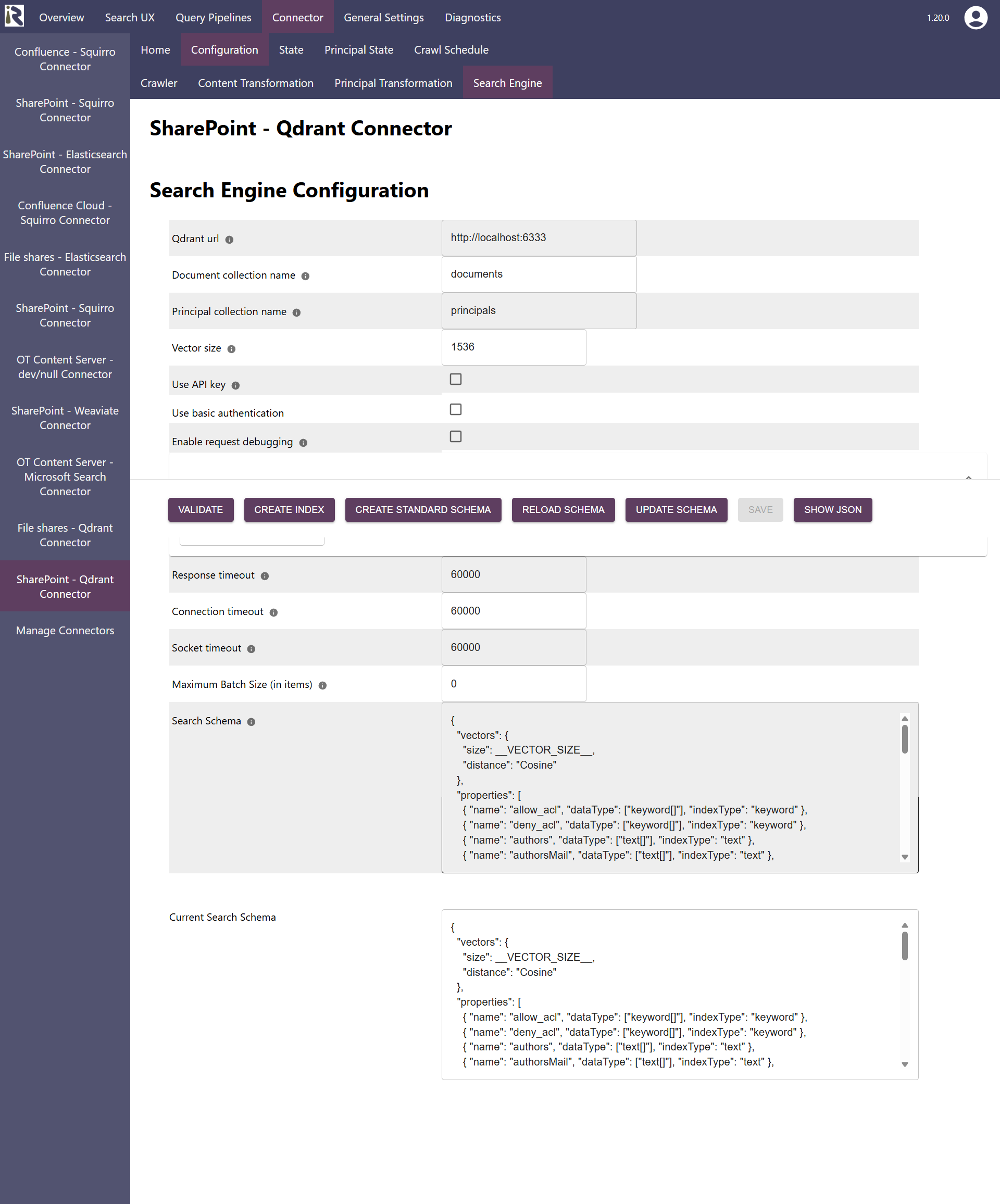
URL is the url to your Qdrant instance
Document index name: this is the name of the document index.
Based on this and the information below, it constructs the REST API Url to push the indexed data to.Principal index name: this is the name of the principal index. The principal index is where the connector stores user-group relationships.
Based on this and the information below, it constructs the REST API Url to push the indexed data to.Vector size: is the dimension of the vectors which the connector will push
Use API key: allows for configuring an API key to your Qdrant cloud instance
Use basic authentication: if you configured basic authentication for securing direct access to the instance, check this box.
Username: is the username for basic auth.
Password: is the according password.
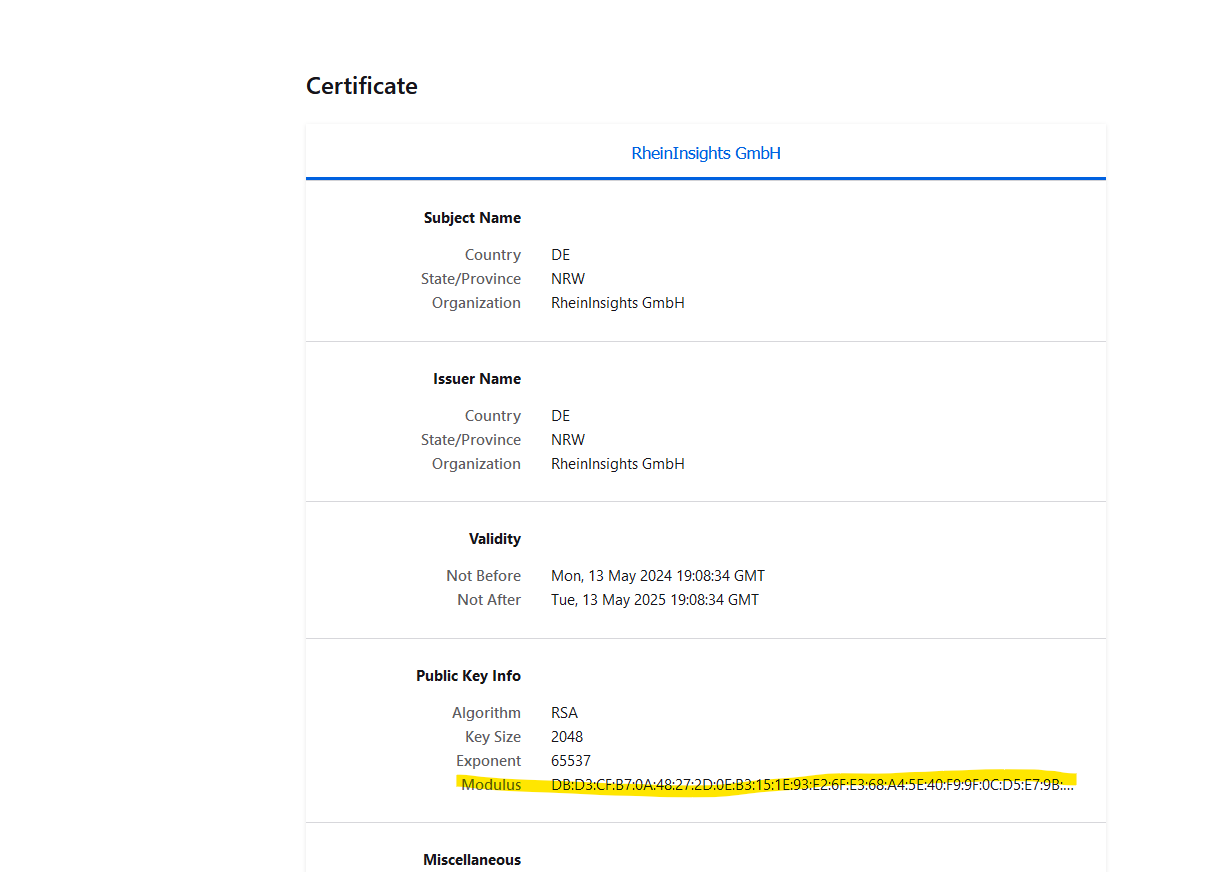
Public keys for SSL certificates: this configuration is needed, if you run the environment with self-signed certificates, or certificates which are not known to the Java key store.
We use a straight-forward approach to validate SSL certificates. In order to render a certificate valid, add the modulus of the public key into this text field. You can access this modulus by viewing the certificate within the browser.
Response timeout: determines the timeout when waiting for responses in milliseconds.
Connection timeout: determines the timeout when waiting for connections to the instance in milliseconds.
Socket timeout: determines the timeout when waiting for connections to the instance in milliseconds.
When finished with setting these fields, click on validate and save. If you observe any issues, then the validator will let you know or you can find more insights in the log files.
Vector Search Dimensions
When using vector search, you need to make sure that the embeddings you use in the query, as well as in the content transformation pipeline have exactly the same dimension as the index fields vector body and vector title. Otherwise indexing or querying the index will fail.